Software Testing (Manual) Training in Delhi
Our Training/Internship Process

Software Testing (Manual) - Syllabus, Fees & Duration
Manual Testing Syllabus
- What is Software testing?
- Importance of Software testing
- Basic terminology of Software testing
- Difference between Manual and Automated Testing
- Software testingPrinciples
- Levels of Testing
- Software development life cycle
- Requirements phase
- Analysis phase
- Design phase
- Coding phase
- Testing phase
- Release and maintenance phase
- Software Development life cycle models
- Waterfall model
- Agile model
- Spiral model
- V model
- Software Testing Life Cycle
- Testing Constraints
- Static Test Design
- Formal review
- Informal reviews
- Walkthroughs
- Technical review
- Inspection
- Dynamic test design
- White-box testing
- White-box testing technique
- Black box testing
- Black box testing technique
- Grey box testing
- Test plan document
- Scope of document
- Objective of testing
- Customisation of Test Plan document
- Requirement Traceability Matrix
- Importance of Test case
- Test case template
- Test Scenario
- Test Strategy
- Functional Testing Types
- Sanity Testing
- Smoke Testing
- Retesting
- Regression testing
- Adhoc testing and types
- UI testing
- Positive Testing
- Negative Testing
- Alpha and Beta Testing
- Non-functional Testing
- Performance testing
- Load testing
- Stress Testing
- Volume Testing
- Security testing
- Portability testing
- What is a bug?
- Bug life cycle
- Severity
- Priority
- Types of Bugs
- Bug Report Template
- Metric types and calculation
- Test Report Template
MODULE 1 - Introduction to Manual Testing
MODULE 2 – SDLC and STLC
MODULE 3 – Static and Dynamic Testing
MODULE 4 – Test Plan and Test Case Documents
MODULE 5 – Types of Testing
MODULE 6 – Bug Report and Test Report Documents
This syllabus is not final and can be customized as per needs/updates
- Since 2001, Making IT Experts by Experts
- Duration: 30 Hours (Vary as per your skill)
- Course Fees
- Individual Live Classes (1:1)
- Batch Classes @ Low Fees
- Training on Your Time, Any Where
- Access to Recorded Videos
- Practical Internship on Projects
- 100% Placement Support by our jobsHybrid.com
- Training/Internship Certificate
- Agra
- Ahmedabad
- Alappuzha
- Aurangabad
- Bangalore
- Belgaum
- Bellary
- Bhubaneswar
- Chennai
- Cochin
- Coimbatore
- Delhi
- Dindigul
- Erode
- Gulbarga
- Guntur
- Gurgaon
- Haryana
- Hyderabad
- Idukki
- Indore
- Jaipur
- Kalyan
- Kannur
- Kanpur
- Kasaragod
- Kerala
- Kolkata
- Kollam
- Kottayam
- Kozhikode
- Lucknow
- Madurai
- Malappuram
- Mangaluru
- Mumbai
- Mysuru
- Nagpur
- Nashik
- Navi Mumbai
- Nizamabad
- Noida
- Palakkad
- Pathanamthitta
- Pune
- Punjab
- Salem
- Shimla
- Solapur
- Surat
- Thane
- Thanjavur
- Thirunelveli
- Thoothukudi
- Thrissur
- Tiruchirappalli
- Tiruppur
- Trivandrum
- Vadodara
- Varanasi
- Vellore
- Vijayawada
- Visakhapatnam
- Wayanad
Course Highlights

Our Locations

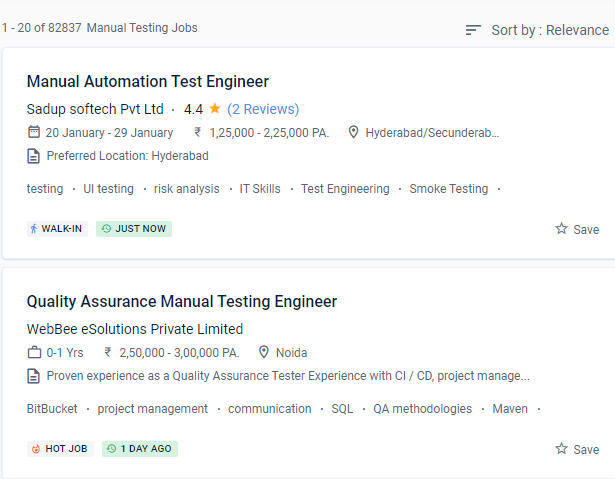
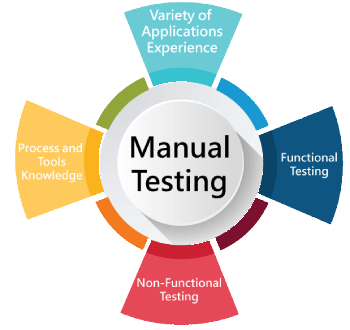 The testing manual is an activity that necessitates the tester's creativity, open mind, and patience. The topics learned in class can be applied to real-world initiatives in businesses. Before any creative application can be automated, it must first be manually tested. Our course has a one-of-a-kind syllabus, a master’s in manual testing, and a 100% placement rate in the field. Manual software testing takes longer and requires more effort, but it is necessary to see if automation is viable.
Manual software testing is a rewarding job option. The course covers software testing, the software life cycle, the waterfall model, software test design approaches, software testing methodology, testing levels, QA, and QC testing, among other topics.
There are numerous career pathways available in the software testing manual. Before their difficulties may be automated, innovative apps must be manually qualified. Manual software testing is simple to learn for new testers.
The testing manual is an activity that necessitates the tester's creativity, open mind, and patience. The topics learned in class can be applied to real-world initiatives in businesses. Before any creative application can be automated, it must first be manually tested. Our course has a one-of-a-kind syllabus, a master’s in manual testing, and a 100% placement rate in the field. Manual software testing takes longer and requires more effort, but it is necessary to see if automation is viable.
Manual software testing is a rewarding job option. The course covers software testing, the software life cycle, the waterfall model, software test design approaches, software testing methodology, testing levels, QA, and QC testing, among other topics.
There are numerous career pathways available in the software testing manual. Before their difficulties may be automated, innovative apps must be manually qualified. Manual software testing is simple to learn for new testers.